Making ServiceHelper
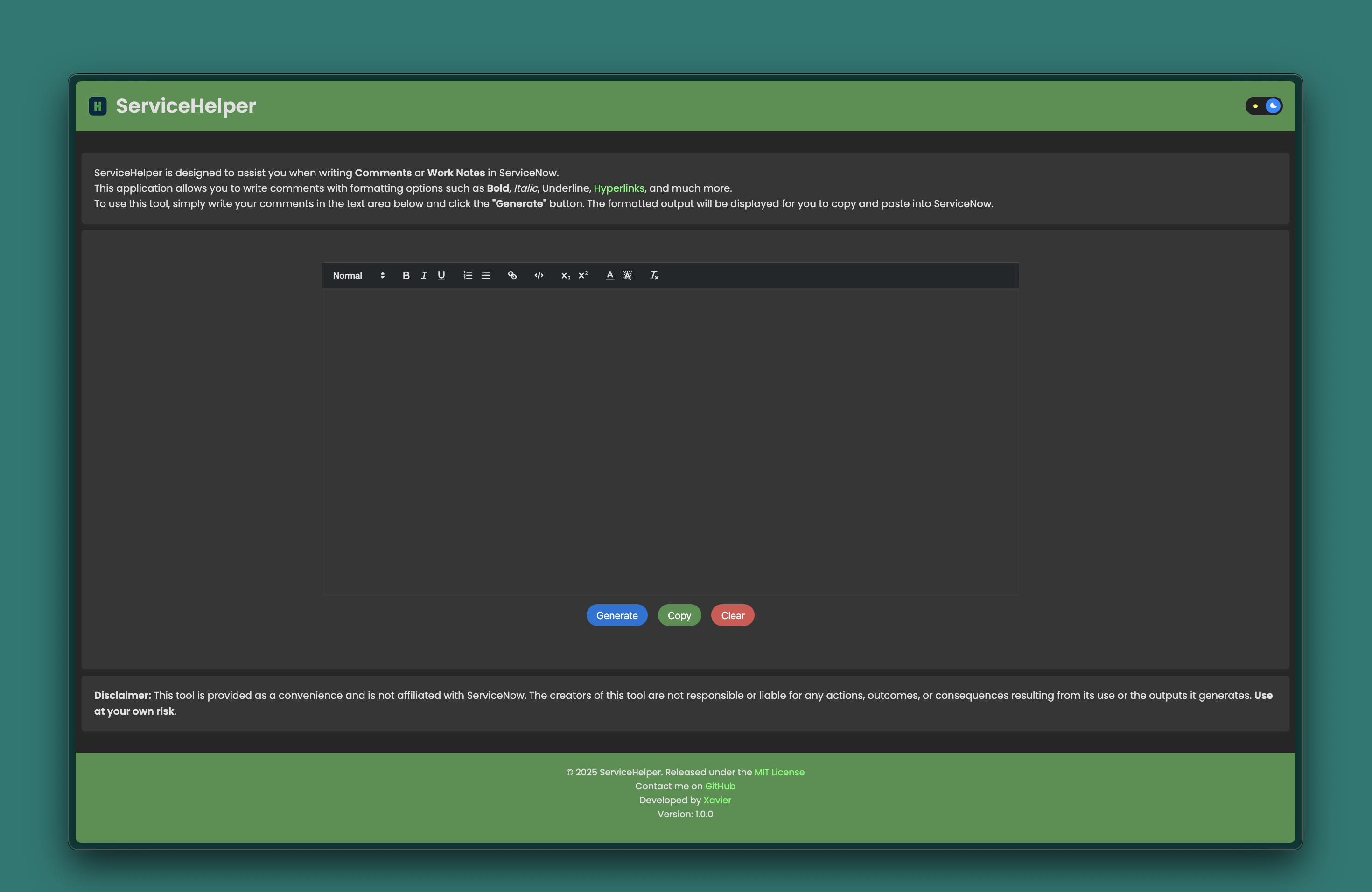
Table of Contents
Why I made ServiceHelper
I recently started a Job that requires me to use ServiceNow and something that instantly irked me is how primitive the comment system is by default. ServiceNow only lets you input unformatted text into both Comments and Work Notes. Now it does let you put in HTML instead of plain text but nobody wants to write that every time. So I had to come up with a solution.
How to fix the problem
I had a couple ideas to solve this problem; first of which is by making a shell script that would let me add Hyperlinks. Here is what I came up with:
#!/bin/bash

read -p "Paste Link: " link
read -p "Link Text: " text

echo "[code]<a href="$link" target="_blank">$text</a>[/code]"
This script worked as it let me generate HTML-formatted hyperlinks quickly, but it had a few major downsides:
- I had to run the script every single time I needed a link.
- The output wasn’t easy to read or preview.
- Sharing it with coworkers meant explaining how to run shell scripts, which isn’t ideal.
Because of these drawbacks I decided to make a website that would be able to do the same functionality while also being easier to use, read, and share with others.
What is ServiceHelper
ServiceHelper is a lightweight tool designed to assist you in writing Comments or Work Notes in ServiceNow with enhanced formatting options.
Features:
- Rich Text Formatting: Add bold, italic, underline, and hyperlinks.
- Generate Mode: Instantly generate your formatted output.
- Copy to Clipboard: Quickly copy the formatted text for use in ServiceNow.
- Dark Mode: Toggle between light and dark themes for better accessibility.
Usage
- Write your comments in the editor.
- Click the Generate button to see the formatted output.
- Use the Copy button to copy the formatted text.
- Paste the output directly into ServiceNow.
Check out ServiceHelper here: servicehelper.exobyte.app